

Most companies think about corporate phones only at two moments: when they buy them and when they break. Everything in between how devices are procured, upgraded, reassigned, recovered, and retired happens ad hoc, and that lack of a lifecycle strategy quietly inflates hardware costs and creates real security exposure. A device is an asset for its entire useful life, not just on the day it is purchased.
At Wireless Experts, we manage the full device lifecycle as part of controlling total mobility cost. This guide covers how to standardize procurement, when upgrades are genuinely warranted, how redeployment and BYOD reduce spend, how to recover devices from departing employees, and how to dispose of old hardware securely.
Standardizing Procurement and Buy vs. Lease
Without centralized procurement, different departments buy independently, which produces inconsistent hardware, higher prices, and considerably more complex support. A structured strategy covers approved device standards, negotiated carrier pricing, inventory tracking, lifecycle planning, and purchasing policies that reflect employee roles. Standardizing models simplifies deployment, technical support, warranty management, and future upgrades and gives you real purchasing leverage.
Whether to buy or lease depends on your financial objectives and refresh cycle. Purchasing often produces lower long-term cost for organizations that keep phones in service for several years; leasing can make budgeting more predictable and simplify regular refreshes. Neither is universally correct. We recommend evaluating total cost of ownership upgrade frequency, repair costs, warranty coverage, administrative workload, and expected lifespan rather than comparing purchase price against monthly payment. Whichever model you choose, accurate inventory and efficient upgrade management are what actually control long-term cost.

Upgrade Discipline and Device Redeployment
Upgrades should be driven by business need, not by upgrade eligibility. A great many organizations replace devices simply because they qualify, even when the existing equipment performs perfectly well which inflates hardware costs without delivering operational benefit. We recommend evaluating upgrades on device condition, job requirements, security compatibility, and overall business value, guided by a documented lifecycle policy that defines when upgrades are genuinely warranted.
Redeployment is one of the most practical cost-saving tools available. Reassigning an existing device to another employee after removing corporate data, resetting it, and verifying its condition reduces procurement costs, extends device life, and shortens onboarding for new hires. Rather than letting functional equipment sit in a drawer after someone changes roles or leaves, redeployment maximizes the return on hardware you already own.
BYOD vs. Corporate-Owned and Device Recovery
Choosing between BYOD and corporate-owned devices is a balance between employee flexibility and business security, compliance, and cost control. Corporate-owned devices give you greater control over security, configuration, and lifecycle planning; BYOD can reduce hardware purchases but demands strong governance to protect company information. Many organizations run both successfully issuing corporate devices to employees with critical or compliance requirements while permitting BYOD elsewhere. Clear written policies and Mobile Device Management are what make either model work.
Recovering devices from departing employees protects assets, controls cost, and reduces security exposure. Every organization should have a documented offboarding process for collecting phones, tablets, hotspots, and accessories, with IT and HR coordinating so devices are accounted for and carrier services updated without delay. Once a device is returned, suspend or disconnect unnecessary service, remove corporate accounts, erase business data, and prepare it for redeployment.
Accessory Costs and Secure Disposal
Accessories are the wireless cost nobody tracks. Chargers, cables, cases, screen protectors, and replacement batteries become a meaningful expense when purchased individually without any procurement strategy. Standardizing approved accessories, buying through negotiated corporate pricing, and keeping stock of common items eliminates emergency purchases at retail prices. The same discipline applies to iPhones and other devices managing the full lifecycle and standardizing models controls total Apple mobile cost far better than shopping for the lowest one-off price.
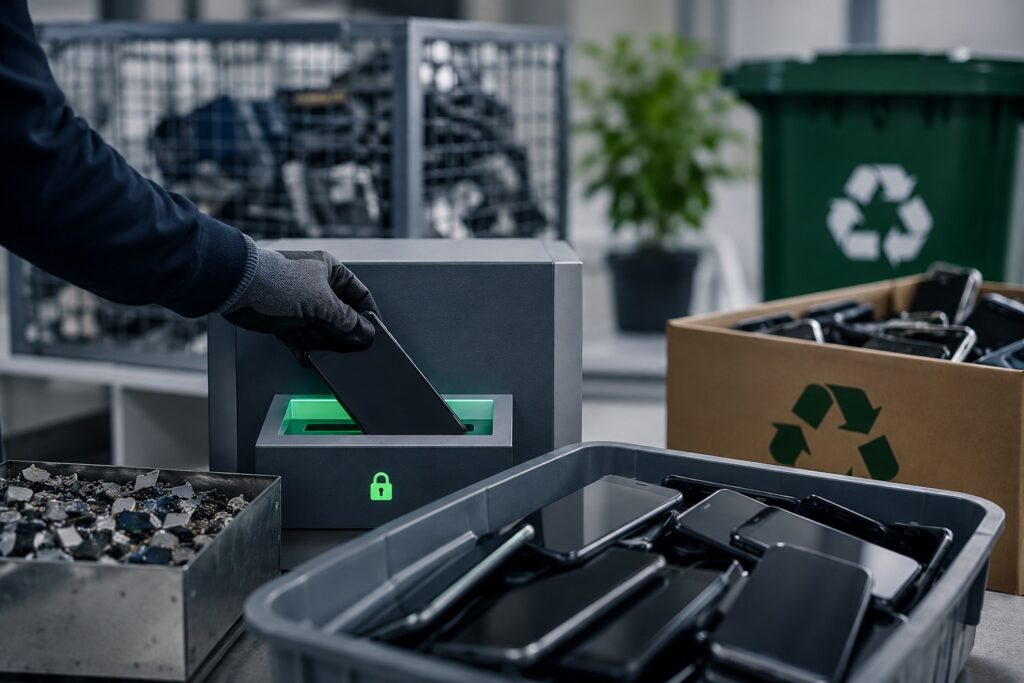
At end of life, secure disposal means more than dropping old phones in a recycling bin. Before any device leaves the organization, permanently remove all corporate information, user accounts, and stored credentials typically through a verified factory reset with management profiles removed and activation locks disabled. Devices with remaining value can be redeployed or traded in; obsolete hardware should go to certified recyclers following recognized data-destruction standards. Keeping records of retired devices maintains inventory accuracy and ensures service charges stop.
Frequently Asked Questions
How Do I Reconcile Carrier Inventory with HR Records?
Reconciling carrier inventory against HR records is one of the highest-return activities in wireless expense management. Employees are hired, transferred, promoted, and leave, but carrier records rarely reflect those changes automatically — which produces inactive lines, unassigned devices, duplicate records, and employees holding services inappropriate for their current role.
We recommend comparing carrier inventories with HR data on a regular schedule to confirm every line, device, and phone number belongs to an active employee or approved business function. The review should verify employee status, department, cost center, device ownership, and service plan while flagging orphaned lines for reassignment or disconnection.
Maintaining that alignment improves inventory accuracy, simplifies reporting, strengthens financial accountability, and supports ongoing optimization. It also produces better purchasing decisions and stops unnecessary spend before it reaches an invoice.
What Is Device Redeployment and When Does It Make Sense?
Redeployment means reassigning an existing corporate device to another employee instead of buying new hardware. For most organizations it is a practical way to reduce expense, extend device life, and improve asset utilization — rather than letting perfectly functional equipment sit in a drawer after someone changes roles or leaves.
Before reassigning, corporate data should be removed, the device reset, its condition verified, and its suitability for the new user confirmed. Redeployment works best when devices remain fully functional and compatible with current applications and security policies.
We treat it as a core part of inventory management. Combined with accurate tracking, redeployment reduces procurement costs, shortens onboarding time for new employees, and maximizes the return on wireless technology investments while keeping operations running smoothly.
How Should Companies Handle Wireless Upgrades?
Upgrades should be driven by business need, not by upgrade eligibility. A great many organizations replace devices simply because they qualify, even when the existing equipment performs perfectly well — which inflates hardware costs without delivering operational benefit.
We recommend evaluating upgrades on device condition, job requirements, security compatibility, manufacturer support, and overall business value. A documented lifecycle policy should define when upgrades are genuinely warranted and when devices should remain in service. Planning upgrades across the organization rather than case by case also avoids unnecessary spend and reduces disruption.
A structured process includes reviewing inventory, confirming eligibility, recovering existing devices where appropriate, and ensuring new equipment is correctly activated and assigned. Treating upgrades as part of a broader expense strategy improves budgeting and controls long-term cost without sacrificing performance.
What Is the Best Way to Manage Corporate Device Procurement?
Standardize it. Without centralized procurement, different departments buy independently, which produces inconsistent hardware, higher prices, and considerably more complex support requirements.
We recommend a structured strategy covering approved device standards, negotiated carrier pricing, inventory tracking, lifecycle planning, and purchasing policies that reflect employee roles. Standardizing models simplifies deployment, technical support, warranty management, and future upgrades — and gives you real purchasing leverage with carriers and manufacturers.
Procurement should also connect directly to inventory management so every new device is recorded, assigned, and monitored from day one. Regular reporting helps forecast hardware needs and avoid unnecessary purchases. A disciplined process reduces administrative effort, improves budget control, and ensures employees receive reliable devices while supporting long-term cost optimization.
How Do I Manage BYOD vs. Corporate-Owned Devices?
The choice is a balance between employee flexibility and business security, compliance, and cost control. Each model suits different situations depending on employee responsibilities, regulatory requirements, and how much control you need over business data.
We recommend clear written policies defining who qualifies for a company-issued device and who may use a personal device for work. Corporate-owned devices give you greater control over security, configuration, application management, and lifecycle planning. BYOD programs can reduce hardware purchases but demand strong governance to protect company information. Mobile Device Management, documented usage policies, and clearly defined support responsibilities are what make either model function properly.
Many organizations run both successfully — issuing corporate devices to employees with critical business or compliance requirements while permitting BYOD elsewhere. The right mix depends on your operational needs and security expectations.
How Can I Save Money on Cellphone Accessories?
Accessories are the wireless cost nobody tracks. Chargers, cables, protective cases, screen protectors, vehicle mounts, and replacement batteries become a meaningful operational expense when purchased individually without any procurement strategy.
The better approach is standardizing approved accessories across the organization, purchasing through negotiated corporate pricing, and keeping stock of commonly used items to eliminate emergency purchases at retail prices.
We encourage companies to treat accessories as part of overall expense management. Centralizing purchasing improves visibility, reduces duplicate orders, and ensures employees receive compatible, business-grade products. Clear replacement policies and tracking accessory requests alongside device inventory help further. Combining purchasing controls with ongoing administration reduces accessory cost while keeping employees properly equipped.
How Can I Save Money on iPhones and Accessories?
Reducing iPhone and accessory cost takes more than shopping for the lowest retail price. Savings come from managing the full device lifecycle, negotiating enterprise pricing, standardizing approved models, and purchasing accessories through corporate procurement programs. Buying unnecessary premium models or replacing devices before the end of their useful life quietly inflates total mobile spend.
We recommend evaluating whether existing iPhones still meet employee needs before approving upgrades. Standardizing accessories such as cases, chargers, and screen protectors also simplifies purchasing and reduces replacement cost, while centralized procurement keeps pricing consistent and eliminates duplicate orders.
Tracking devices and accessories through organized inventory reduces loss and unnecessary replacement. Combined with expense management and ongoing account optimization, these practices control total Apple mobile costs while employees keep reliable, well-supported devices.
How Do I Recover Devices From Terminated Employees?
Prompt recovery protects company assets, controls cost, and reduces security exposure. Every organization should have a documented offboarding process for collecting company-issued phones, tablets, hotspots, accessories, and any other wireless equipment before or immediately after an employee’s final day. IT and HR need to coordinate so devices are accounted for and carrier services updated without delay.
An accurate wireless inventory is what makes this workable — every assigned device should be traceable to its user.
Once a device is returned, suspend or disconnect unnecessary service, remove corporate accounts, erase business data using MDM tools where appropriate, and prepare the device for redeployment. A structured recovery process prevents unnecessary carrier charges, reduces replacement cost, and protects sensitive information from unauthorized access after departure.
Should Companies Buy or Lease Mobile Devices?
It depends on your financial objectives, refresh cycle, and operational requirements. Purchasing often produces lower long-term cost for organizations that keep phones in service for several years. Leasing can make budgeting more predictable and simplify regular hardware refreshes. Neither is universally correct.
We recommend evaluating total cost of ownership rather than comparing purchase price against monthly lease payment. Consider upgrade frequency, repair costs, warranty coverage, administrative workload, and expected device lifespan. Organizations with large fleets may reasonably use different approaches for different employee groups.
Whichever model you choose, the fundamentals do not change: maintaining accurate inventory records, managing upgrades efficiently, and optimizing wireless services are what actually control long-term mobility cost and maximize return on the investment.
How Do I Dispose of Old Corporate Mobile Devices Securely?
Secure disposal means considerably more than dropping old phones in a recycling bin. Before any device leaves the organization, permanently remove all corporate information, user accounts, and stored credentials. That typically involves backing up anything required, performing a verified factory reset, removing management profiles, and confirming activation locks are disabled.
We recommend building disposal into your overall wireless lifecycle process rather than treating it as an afterthought. Devices with remaining business value can be redeployed internally or traded in through approved programs, while obsolete hardware should go to certified electronics recyclers following recognized data destruction and environmental standards.
Keep records of retired devices to maintain inventory accuracy and support compliance. A structured process protects confidential information, supports responsible environmental practice, and removes retired devices from active accounts so service charges stop.
Get Your Free Wireless Savings Audit
Ready to see what your organization could save? Wireless Experts offers a free, no-obligation wireless savings audit — a detailed, line-by-line review of your carrier invoices, rate plans, and usage. You keep your existing carrier, phone numbers, and devices, and there is no upfront cost. Contact us at wirelessexperts.us to request your free audit and savings report.