

Most companies genuinely do not know what they own. Ask how many wireless lines are active, which departments hold them, and what each one costs, and the honest answer is usually a shrug. That visibility gap is not a minor administrative problem it is where thousands of dollars in monthly waste hides, because you cannot optimize or eliminate a line you do not know exists.
At Wireless Experts, accurate inventory is the foundation of everything else we do. This guide explains what wireless inventory management is, how to track every device, how to find the ghost and orphaned lines quietly draining your budget, and how usage analysis turns raw carrier data into real savings.
What Wireless Inventory Management Is
Wireless inventory management means maintaining an accurate, current record of every wireless asset your organization owns smartphones, tablets, hotspots, data cards, SIMs, wireless lines, assigned users, rate plans, device status, and carrier information. A centralized inventory tells you exactly what you have, who is using it, and whether it is still necessary.
Without it, companies pay for inactive lines, misplaced devices, duplicate services, and equipment assigned to people who left years ago. We use inventory management as a core component of expense optimization, reconciling carrier records against internal business records to surface the discrepancies driving up monthly cost. An accurate inventory also supports budgeting, procurement, device lifecycle planning, upgrades, onboarding and offboarding, and future optimization complete visibility into every asset is what makes cost control achievable.
Tracking Every Device Across the Organization
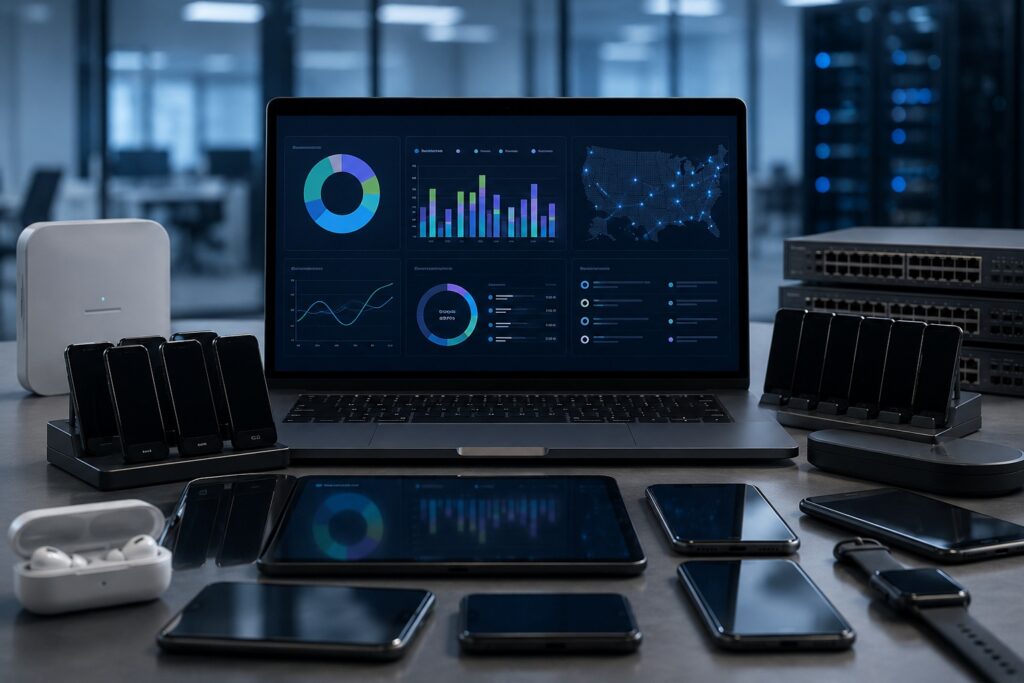
Effective tracking starts with a centralized inventory recording each device, wireless line, assigned employee, department, carrier, rate plan, serial number, and current status. One accurate source of truth makes upgrades, replacements, employee transfers, and device recovery dramatically easier across the whole lifecycle.
The critical practice is regularly reconciling internal inventory records against carrier billing data to confirm every active line serves a real business purpose. That reconciliation surfaces unused devices, orphaned lines, duplicate records, and equipment that should be reassigned or disconnected. Mobile asset tagging helps too assigning a unique identifier to every device so it can be tracked throughout its lifecycle, linked to the assigned employee, department, and status. Inventory should be updated whenever employees join, leave, or change roles, so records never drift out of sync with reality.
Finding Ghost and Orphaned Lines
Orphaned or ghost lines are active carrier accounts with no legitimate business owner or purpose. They typically remain after employees leave, departments reorganize, or devices are replaced without updating inventory. Usage may be minimal or zero, but the monthly service charges continue and administrative complexity grows.
We identify them by comparing carrier invoices against internal HR records, device inventories, and employee assignments. Any line without a current user, assigned device, or documented business function warrants investigation, and reviewing usage history reinforces the picture consistently low or zero usage usually signals a line nobody needs. Companies lose track of lines because the environment changes constantly while records do not keep pace; standardized onboarding and offboarding procedures, plus routine reconciliation, are what keep these costs from rebuilding. When employees leave, the line should be formally reviewed as part of offboarding and reassigned, suspended, or disconnected.
Usage Analysis and the Savings It Unlocks
Accurate inventory and usage analysis work together. Rather than depending on a single software platform, we analyze monthly invoices, voice and data consumption, international and roaming activity, hotspot usage, and rate plan performance to find unnecessary spending and optimization opportunities comparing usage trends against device inventories, employee roles, and account activity.
That combination surfaces inactive lines, oversized data plans, duplicate services, and recurring billing issues. It also feeds directly into savings: plan optimization alone can deliver substantial reductions, because most organizations are running rate plans that no longer reflect employee usage. Across our client base, documented savings have ranged from 33% to over 60% depending on the environment and opportunities present. A wireless inventory audit performed regularly rather than once is what keeps records accurate, strengthens financial oversight, and sustains those savings over time.

Frequently Asked Questions
What Tools Are Used for Wireless Usage Analysis?
Effective usage analysis combines carrier billing data, usage reports, inventory records, and analytics into a complete picture. Rather than depending on a single software platform, we analyze monthly invoices, voice and data consumption, international usage, roaming activity, hotspot usage, and rate plan performance to find unnecessary spending and optimization opportunities.
The point is ensuring every line aligns with current business requirements rather than assumptions made when the plan was first assigned.
Beyond invoice analysis, we compare usage trends against device inventories, employee roles, and account activity to identify inactive lines, oversized data plans, duplicate services, and recurring billing issues. Combining ongoing usage monitoring with regular invoice review is what keeps wireless environments efficient, improves visibility into spend, and supports long-term cost management without disrupting operations.
How Much Can Plan Optimization Alone Save a Company?
Plan optimization alone can deliver substantial savings, because most organizations are running rate plans that no longer reflect employee usage. Data consumption, travel patterns, and workforce size all evolve while the plans underneath them stay frozen. Optimizing them puts every line on the most appropriate and cost-effective option available.
The actual figure depends on your environment size, carrier agreements, device inventory, and how long it has been since the last optimization. Businesses with hundreds or thousands of lines routinely uncover significant savings by eliminating over-provisioned plans, removing unnecessary features, correcting billing issues, and matching services to real needs.
Across our client base, documented savings have ranged from 33% to 60%, though results vary by organization and account structure. Regular optimization is what preserves those savings as usage continues to change.
What Is Wireless Inventory Management?
Wireless inventory management means maintaining an accurate, current record of every wireless asset your organization owns — smartphones, tablets, hotspots, data cards, SIMs, wireless lines, assigned users, rate plans, device status, and carrier information. A centralized inventory tells you exactly what you have, who is using it, and whether it is still necessary.
Without it, companies pay for inactive lines, misplaced devices, duplicate services, and equipment assigned to people who left years ago. We use inventory management as a core component of expense optimization, reconciling carrier records against internal business records to surface the discrepancies driving up monthly cost.
An accurate inventory also supports budgeting, procurement, device lifecycle planning, upgrades, onboarding and offboarding, and future optimization work. Complete visibility into every asset is what makes operational efficiency and cost control achievable.
How Do I Track All the Wireless Devices in My Company?
Start with a centralized inventory recording each device, wireless line, assigned employee, department, carrier, rate plan, serial number, and current status. One accurate source of truth makes upgrades, replacements, employee transfers, and device recovery dramatically easier across the whole lifecycle.
We recommend regularly reconciling internal inventory records against carrier billing data to confirm every active line serves a real business purpose. That reconciliation is what surfaces unused devices, orphaned lines, duplicate records, and equipment that should be reassigned or disconnected. Inventory should also be updated whenever employees join, leave, or change roles.
An organized tracking process improves visibility across the environment, reduces administrative effort, supports accurate budgeting, and stops you paying for devices and services that no longer deliver value.
What Is Mobile Asset Tagging?
Mobile asset tagging assigns a unique identifier to every corporate device so it can be tracked accurately throughout its lifecycle. The tag might be an asset number, barcode, or QR code linked to your inventory system, associating each device with the assigned employee, department, purchase date, carrier, warranty status, and current assignment.
We view tagging as a practical foundation for organized inventory. Combined with accurate records and carrier reconciliation, it lets you quickly identify missing devices, recover equipment from departing employees, manage upgrades, and avoid unnecessary purchases caused by incomplete information.
A structured tagging process also supports expense management directly, because every billed device can be matched to an active business need. That improves accountability, strengthens inventory accuracy, simplifies audits, and makes managing assets considerably easier as the organization grows.
Why Do Companies Lose Track of Wireless Lines?
Because the mobile environment changes constantly while inventory records do not keep pace. New employees are hired, devices upgraded, departments reorganized, and users relocated — yet many organizations still rely on outdated spreadsheets and manual processes. Lines stay active long after they are needed, generating monthly charges and eroding visibility.
We recommend maintaining a centralized inventory that connects carrier data with employee records and actual device usage. Regular reconciliation between invoices, HR records, and carrier accounts catches inactive lines, duplicate services, and devices assigned to former employees before they become long-term expenses.
Standardized onboarding and offboarding procedures matter just as much, ensuring every line is properly assigned, updated, or disconnected when staffing changes. Managing inventory proactively rather than reacting to billing surprises improves accountability and keeps an accurate picture of every asset.
How Do I Identify Orphaned or Ghost Wireless Lines?
Orphaned or ghost lines are active carrier accounts with no legitimate business owner or purpose. They typically remain after employees leave, departments reorganize, or devices are replaced without updating inventory. Usage may be minimal or zero, but the monthly service charges continue and administrative complexity grows.
We identify them by comparing carrier invoices against internal HR records, device inventories, and employee assignments. Any line without a current user, assigned device, or documented business function warrants investigation. Reviewing usage history reinforces the picture, since consistently low or zero usage usually signals a line nobody needs.
These reviews should be routine rather than annual. Maintaining accurate inventory and continuously validating carrier records against internal data eliminates unnecessary cost, improves reporting accuracy, and confirms every active line supports a genuine requirement.
What Happens to Wireless Lines When Employees Leave?
The line should be reviewed as a formal part of offboarding. Depending on business needs, the number may be reassigned to another employee, temporarily suspended, transferred to a different department, or disconnected entirely. Taking no action produces both unnecessary monthly charges and genuine security exposure.
We recommend integrating wireless management directly into HR and IT offboarding procedures so carrier accounts stay accurate. Reviewing the departing employee’s device, line, billing responsibility, and assigned services keeps control of mobile assets and stops inactive lines appearing on future invoices.
If the number is retained for business continuity, evaluate the associated rate plan and services before reassignment — the incoming user rarely has identical needs. A consistent offboarding workflow reduces cost, strengthens inventory accuracy, and improves long-term expense management.
How Do I Manage Device Lifecycle for Corporate Phones?
Lifecycle management begins at purchase and continues until the device is securely retired or redeployed. Every stage — procurement, deployment, assignment, upgrades, repairs, replacement, disposal — should be documented so you maintain visibility over company-owned assets throughout.
We recommend a centralized inventory recording each device’s user, wireless line, purchase date, warranty status, and current lifecycle stage. Standardized processes for onboarding, upgrades, transfers, and offboarding keep devices properly assigned across their useful life. Regular reviews also identify devices that can be redeployed before you buy new equipment, which maximizes existing investment.
At end of life, corporate data should be securely removed and inventory records updated before recycling or disposal. A structured process improves accountability, supports budgeting, and keeps wireless operations efficient as the organization grows.
What Is a Wireless Inventory Audit?
A wireless inventory audit is a comprehensive review of your wireless assets, carrier accounts, devices, and billing records to verify every active line serves a legitimate business purpose. The aim is confirming inventory records genuinely reflect your current environment while identifying unnecessary cost and operational inefficiency.
We compare carrier invoices against employee records, device assignments, wireless usage, and internal inventory databases. That comparison surfaces inactive lines, orphaned devices, billing discrepancies, duplicate services, and rate plans that no longer match usage. It also confirms devices are assigned to the correct employees and that records stayed current through hiring, transfers, and departures.
Performed regularly rather than once, inventory audits improve accuracy, strengthen financial oversight, and support ongoing expense management — helping you keep long-term control while reducing avoidable spend.
Get Your Free Wireless Savings Audit
Ready to see what your organization could save? Wireless Experts offers a free, no-obligation wireless savings audit — a detailed, line-by-line review of your carrier invoices, rate plans, and usage. You keep your existing carrier, phone numbers, and devices, and there is no upfront cost. Contact us at wirelessexperts.us to request your free audit and savings report.